
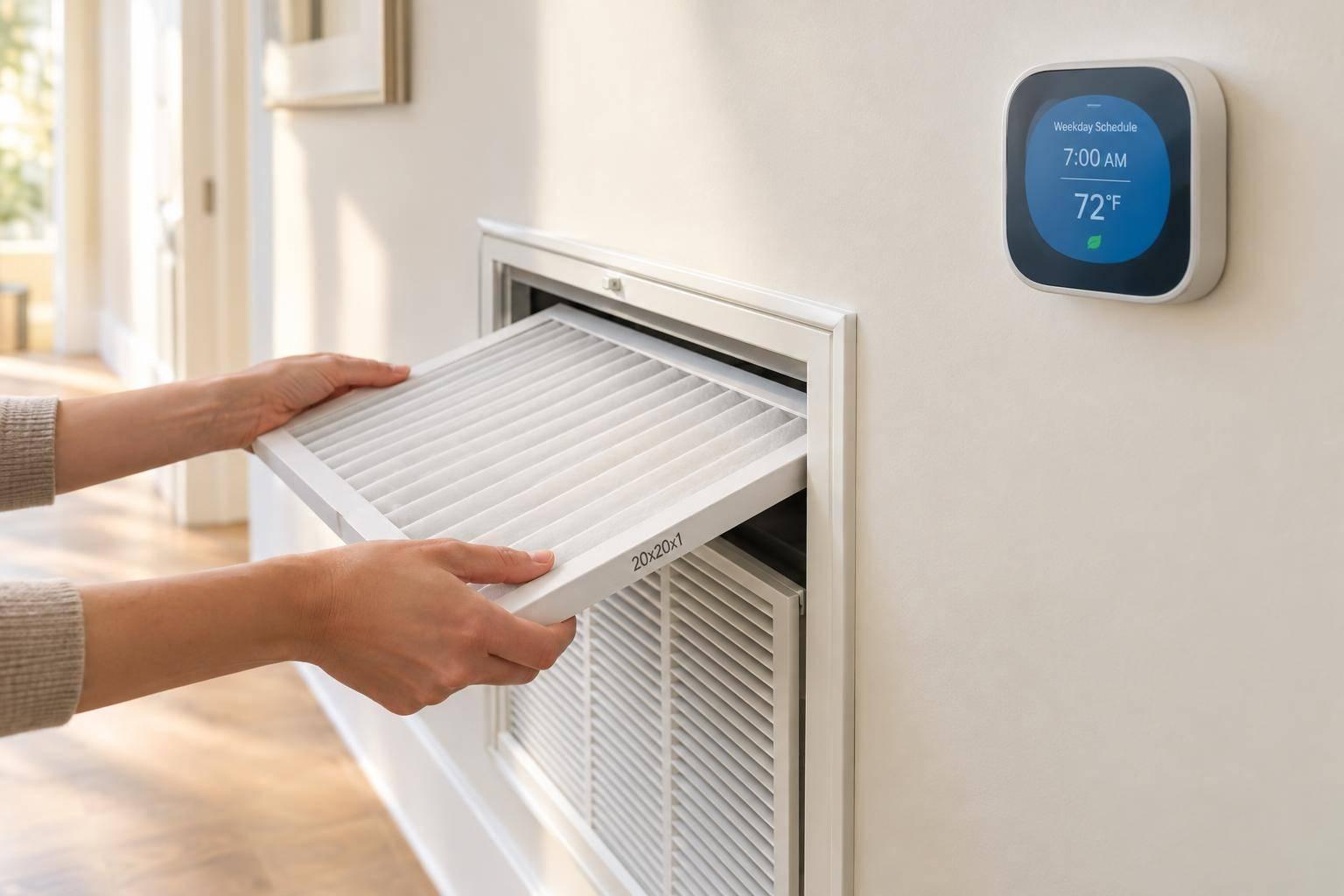
Filter and Thermostat Habits That Help Your HVAC System
I recommend two simple HVAC habits: check your filter monthly and keep your thermostat schedule matched to your day. ENERGY STAR recommends replacing a dirty filter right away, or at least every 3 months - follow your manufacturer’s instructions for your filter type.
Here’s the routine I suggest:
- Inspect monthly: Look for dust, moisture, damage, and blocked airflow.
- Replace dirty filters: Turn the system off first, and check the airflow-arrow direction.
- Check the fit: Use the correct size and a MERV rating your system supports.
- Set your schedule: Match temperatures to waking, leaving, returning, and sleeping.
- Review each season: Adjust for comfort and weather. With heat pumps, avoid large setbacks that may trigger auxiliary heat.
- Combine both checks: Keep one reminder and a short record of changes.
Settings can’t fix restricted airflow. <u>If problems persist with a clean filter and correct settings, get professional help.</u> For homeowners in Carlsbad and North County San Diego, that’s when I’d suggest contacting Coastal Comfort San Diego Heating and Air.
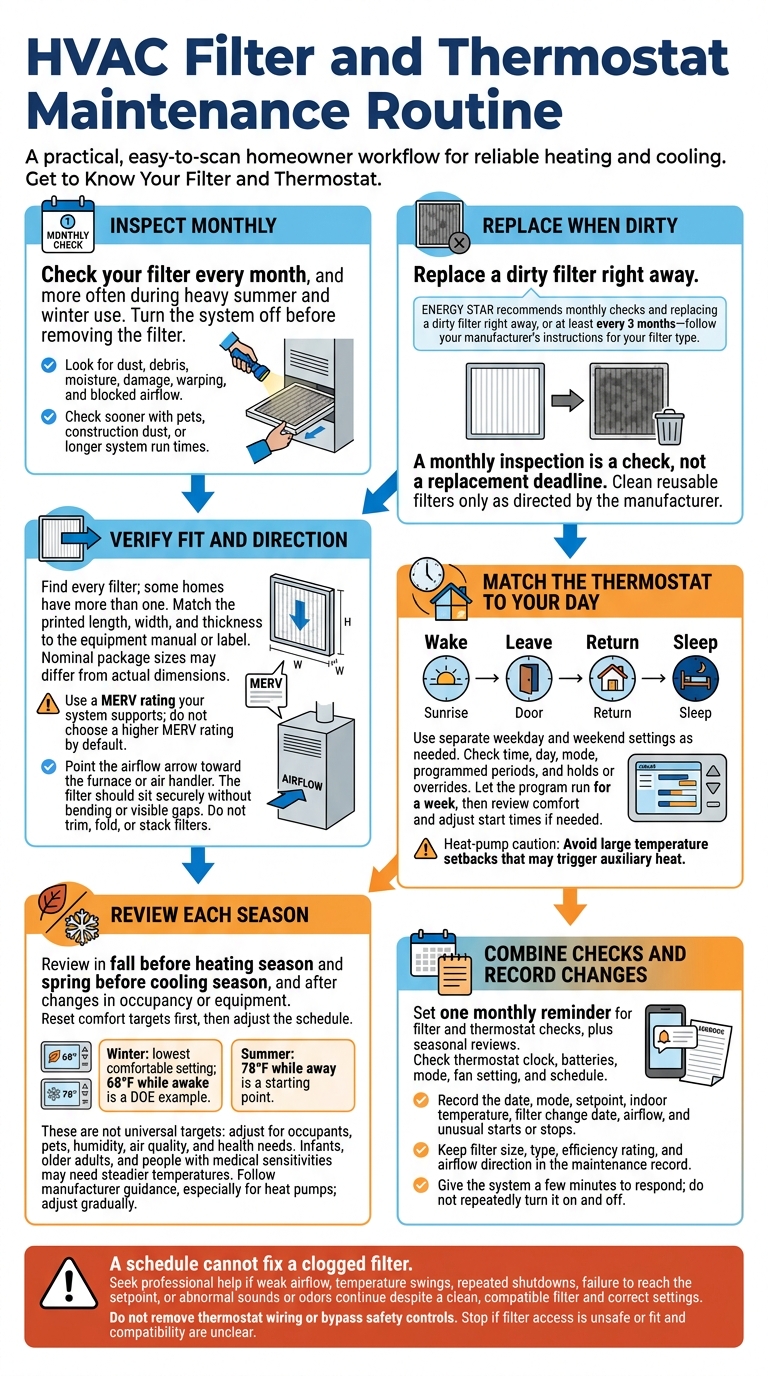
HVAC Filter and Thermostat Maintenance Routine
Home Repair & Maintenance : Replacing Your Furnace Filter
sbb-itb-a7630c3
Get to Know Your Filter and Thermostat
Your filter traps airborne particles as return air moves through the system.
Start by identifying your filter and thermostat. Find every filter before replacing any. Check return-air grilles in walls or ceilings and the filter slot near your furnace or air handler. Some homes have more than one filter. Note each filter’s printed size, location, and airflow-arrow direction.
Look for the thermostat’s brand and model on the front, side, or inside the cover. Do not remove wiring. Check the equipment label to confirm whether the thermostat controls an air conditioner and furnace or a heat pump. If you have a heat pump, pay close attention to its auxiliary and emergency heat settings.
Use the model numbers to find the correct manufacturer manuals. Before making changes, confirm the filter size, airflow-arrow direction, cleaning or replacement steps, and thermostat modes and settings. Save photos of the labels alongside the manuals.
A monthly inspection is a check, not a replacement deadline. Look for gray buildup, clogs, moisture, damage, or warping. When to replace the filter depends on its type, household conditions, system run time, and manufacturer guidance.
1. Inspect Your Filter Every Month
Recommended timing
Check your filter every month, and more often during heavy summer and winter use. ENERGY STAR recommends monthly checks and replacing a dirty filter right away, or at least every three months.
Homeowner checks and actions
Turn the system off before removing the filter. Under good light, look for dust, debris, moisture, or damage. If you replace it, write the installation date on the filter frame or save it in your phone.
Check sooner if you have pets, construction dust, or longer system run times, since these can cause faster buildup. Replace a dirty filter right away.
Equipment compatibility and service cautions
If airflow still feels weak after you install a clean filter, the filter may not be the problem. Check whether vents deliver less air than usual or rooms heat and cool unevenly. Also, look for furniture or rugs blocking registers.
If airflow stays weak with a clean, correctly installed filter, request a professional evaluation for duct, blower, or equipment problems.
2. Replace Dirty Filters Without Delay
Recommended timing
If your monthly check shows dust or clogging, replace the filter right away - don’t wait for the scheduled date. Use the correct size and install it with the airflow arrow pointing in the right direction.
Homeowner checks and actions
Turn the system off at the thermostat before opening the filter compartment. Match the new filter’s size to both the old filter and the equipment label. Point the airflow arrow toward the furnace or air handler, then slide the filter fully into place without forcing it. Close the panel when you’re done.
Record the replacement date and check the filter again in one month. Follow the manufacturer’s replacement instructions, but check sooner if the filter looks dirty.
Equipment compatibility and service cautions
Don’t trim, fold, or stack filters to make them fit. If the replacement leaves gaps, bends in the slot, or prevents the panel from closing, stop and contact an HVAC professional. A poor fit lets unfiltered air bypass the filter.
With the filter secure, the next step is matching your thermostat settings to your routine.
3. Choose a Filter That Fits Your System
A filter can look like the right size on paper but still restrict airflow if it doesn’t fit properly.
Homeowner checks and actions
Before buying, check the filter’s printed length, width, and thickness against the equipment manual or label. Nominal package sizes may differ from actual dimensions, so don’t rely on tape-measure readings alone.
The filter should slide in easily and sit flush, with no bending or visible gaps. Use the airflow arrow only to confirm direction.
Equipment compatibility and service cautions
Don’t choose a higher MERV rating by default. Higher MERV can increase airflow resistance, and your system needs to be able to handle it.
If the manual doesn’t list a compatible rating, or you want a different filter thickness, ask an HVAC professional before buying. Have a professional check the setup if the sizing is unclear or the rack is damaged.
Once the filter fits correctly, move to thermostat scheduling.
4. Set a Thermostat Schedule for Your Day
Once you’ve handled the filter, set your thermostat schedule around when people are home.
Recommended timing
Build your schedule around Wake, Leave, Return, and Sleep, with separate settings for weekdays and weekends. Choose temperatures for mornings, daytime hours away, evenings, and overnight so the system runs only when needed.
Start heating or cooling early enough to reach your target temperature before anyone arrives. That lead time depends on your home, outdoor conditions, equipment, and the temperature difference between settings. If rooms aren’t comfortable when you get home, adjust the start time.
Homeowner checks and actions
Check the thermostat’s time, day, mode, and programmed periods. Make sure a hold or override isn’t blocking the schedule.
Let the program run for a week, then review it. For short-term changes, use a temporary hold and check when it expires.
Equipment compatibility and service cautions
Heat pumps need compatible controls and recovery settings. Avoid large temperature setbacks that can trigger auxiliary heat.
If auxiliary heat comes on unexpectedly while the system returns to the scheduled temperature, have the thermostat and equipment checked rather than increasing the setback.
5. Review Temperature Settings Each Season
Recommended timing
Review your settings in fall before heating season and in spring before cooling season. Check them again after changes in occupancy, health needs, insulation, windows, or equipment.
Homeowner checks and actions
Match seasonal settings to the weather and how you use your home. Reset comfort targets first, then adjust the schedule.
The U.S. Department of Energy recommends the lowest comfortable winter setting, with 68°F while awake as an example.
For summer, 78°F while away is a starting point. Adjust for occupants, pets, humidity, and air quality needs.
Infants, older adults, and people with medical sensitivities may need steadier temperatures. Don't turn cooling off entirely if moisture buildup is a concern.
Equipment compatibility and service cautions
Check the manufacturer's guidance before making larger seasonal setbacks, especially with heat pumps, which can respond differently. Recovery time varies by system. Adjust settings gradually, and watch comfort, humidity, and how long the system takes to return to the target temperature.
Check the filter during the same review to keep both tasks on one schedule.
6. Combine Filter and Thermostat Checks
Recommended timing
Set one monthly reminder for both checks. Add a seasonal review before summer and winter.
Homeowner checks and actions
Turn off the system. Check that the filter faces the correct direction, fits securely, and is clean. During the same visit, check the thermostat’s clock, batteries, mode, fan setting, and schedule. Choose the mode that matches the season and leave it there. Don’t switch between modes to test the system.
A schedule cannot fix a clogged filter. Replace a dirty filter with the correct replacement before judging temperature control. Then watch for changes in airflow, comfort, and run time rather than repeatedly adjusting the setpoint.
Equipment compatibility and service cautions
Give the system a few minutes to respond. Don’t turn it on and off repeatedly.
Record the date, mode, setpoint, indoor temperature, filter change date, airflow, and any unusual starts or stops. Call for service if weak airflow, temperature swings, repeated shutdowns, failure to reach the setpoint, or abnormal sounds or odors continue despite a clean filter and correct settings. Don’t alter wiring or bypass safety controls.
Use the checklist below to repeat these steps each month.
Your Filter and Thermostat Checklist
Check your filter and thermostat on the same routine, with monthly checks and seasonal adjustments.
| Habit | Recommended check | What the homeowner should verify | When to seek professional help |
|---|---|---|---|
| Inspect the filter for airflow restrictions | Monthly, especially during heavy use. | Look for dust, damage, dampness, and gaps. Note the filter’s size and location. | Access is unsafe, or you’re unsure about size, airflow direction, or compatibility. |
| Replace or clean the filter | Follow the filter’s condition and manufacturer instructions. | Match the size and specs. Clean reusable filters only as directed. | Airflow stays weak, dirt gets past the filter, or the filter is damp or moldy. |
| Check that the schedule matches your routine | Monthly and whenever your routine changes. | Look for schedule drift and temporary overrides. | Programming won’t stay set, or scheduled heating or cooling doesn’t start reliably. |
| Adjust seasonal settings | Before heavier heating or cooling use. | Confirm occupied and away temperatures and the correct mode. Check whether the display matches room temperature. | Temperature readings or controls seem wrong, or cycling becomes abnormal. |
| Track problems that persist after filter and thermostat checks | Whenever a problem occurs. | Record affected rooms, dates, filter changes, and whether the problem continued. | The same problem returns despite a clean, compatible filter and appropriate settings. |
Keep the filter size, type, efficiency rating, and airflow direction in your maintenance record.
HVAC Help in North County San Diego
If your monthly checks point to a larger issue - or basic troubleshooting hasn’t fixed the problem - it’s time to schedule professional service. Coastal Comfort San Diego Heating and Air is an HVAC contractor in Carlsbad, California, serving North County San Diego. The company handles air conditioning repair and installation, furnace repair and installation, and heat pump systems.
When you contact the company, describe the problem clearly. If you need new equipment, specify whether you’re looking for air conditioning, furnace, or heat pump installation.
For a replacement or new installation, ask about the full scope of work, including ductwork inspection, air leakage testing, and any duct repairs needed to support long-term system performance. ENERGY STAR identifies these checks as part of quality HVAC installation. Ask whether they’re included in the proposal.
Conclusion: Keep a Simple HVAC Routine
Set a monthly reminder to check your HVAC filter. Replace a dirty filter right away, making sure it’s the correct size and follows the airflow direction.
Next, check your thermostat schedule. Update it when your work hours, sleep routine, or the season changes. Keep a note on your phone to log filter checks, replacements, and thermostat updates.
Use that same note to spot patterns and track recurring problems. If weak airflow or comfort issues persist, schedule professional service.
For filter or thermostat problems that keep coming back, Coastal Comfort San Diego Heating and Air can help in Carlsbad and North County San Diego.
FAQs
Why does my HVAC filter get dirty so quickly?
Your HVAC filter may get dirty faster when your system runs longer than usual. More runtime means more dust and debris collect in the filter. During heavy use, such as cooling season, check it monthly and replace it as soon as it looks gray.
Keeping the filter clean is the most cost-effective way to improve system efficiency. A dirty filter blocks airflow, forcing your blower to work harder and use more energy.
Should I leave my thermostat fan on Auto or On?
Follow your thermostat and HVAC system manufacturers’ instructions when choosing Auto or On. The right setting depends on your equipment. A steady thermostat schedule is generally more efficient than frequent adjustments.
Have questions about your settings or problems with performance or airflow? Coastal Comfort San Diego Heating and Air can inspect your controls and check that your thermostat is set up properly for your home.
How much should I adjust my heat pump thermostat at night?
Avoid large thermostat changes at night. Big temperature swings can cause extra cycling and reduce your heat pump’s efficiency. Instead, keep the setting steady at a temperature that feels comfortable for your household, day and night.
A smart thermostat compatible with your heat pump can handle scheduling and help improve efficiency without large manual adjustments.